List virtual machines

Options
| option | description | Allowed values |
|---|---|---|
| filter-name | apply a regex filter on virtual machines name | regex string |
| output-format | output the result of the list command in the selected format (default to table) | table or yaml or json |
| proxmox-node | coma separated list of proxmox nodes where we will search for virtual machines | node1,node2,node3 |
| status | virtual machine status | running or stopped |
Examples
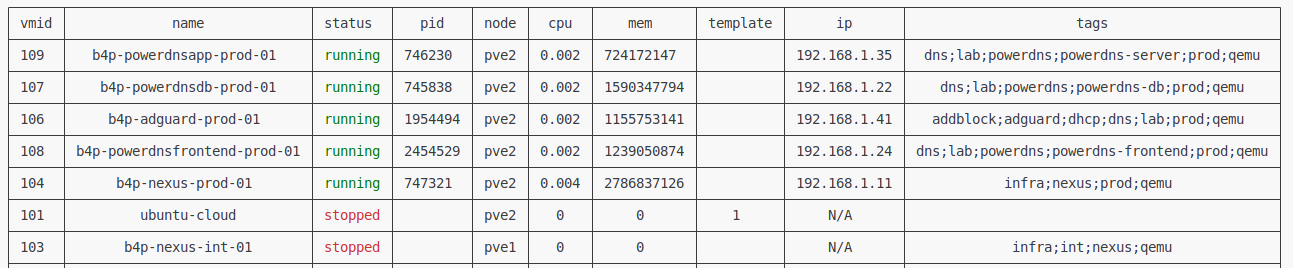
- This command will output an unfiltered list of virtual machines available on the cluster
proxcli vms list- This command will output a list of virtual machines on selected nodes
proxcli vms list --proxmox-nodes pve1,pve2- This commands will output a list of virtual machines filterd by a regular expression applied on virtual machine name
proxcli vms list --filter-name "^b4p-"- This command will output a list of virtual machines with the specified status (comma separated list possible)
proxcli vms list --status running- You can combine the different filters together. This command show running vms matching a filter on virtual machine name on a specified node
proxcli vms list --status running --proxmox-node pve2 --filter-name ".*powerdns.*"output formating
Info
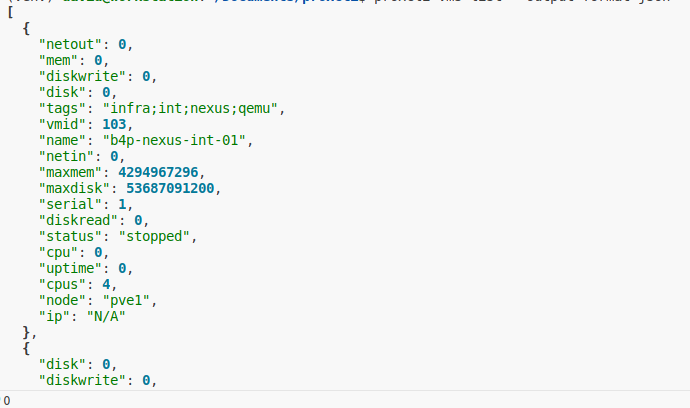
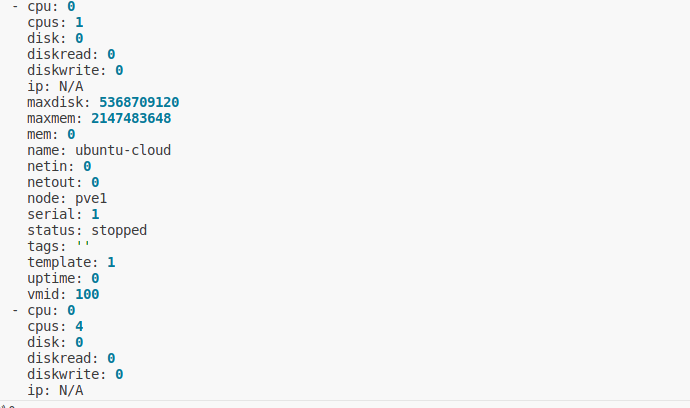
In the previous exemples, the result is formated as a nice table. you can specify other output formating such as json or yaml. just add the output-format argument. This argument take one of table, yaml or json value.
| table | json | yaml |
|---|---|---|
| 
| 
|